A Minimalist Cross-Device Publishing System
Purpose: To create a minimalist, cross-platform publishing interface that sends text to specific blog pages with a single click, effectively implementing a social media-style “feed” on a personal blog.
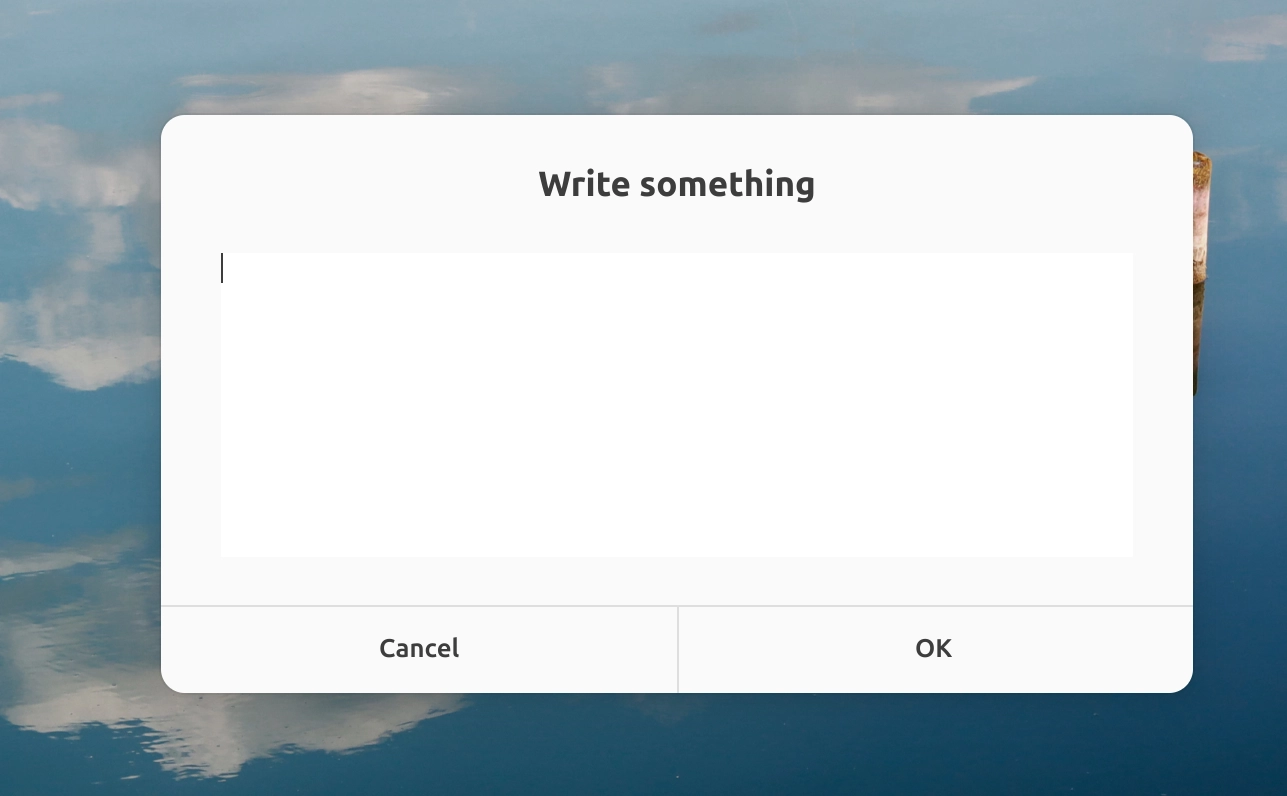
Desktop Preview:
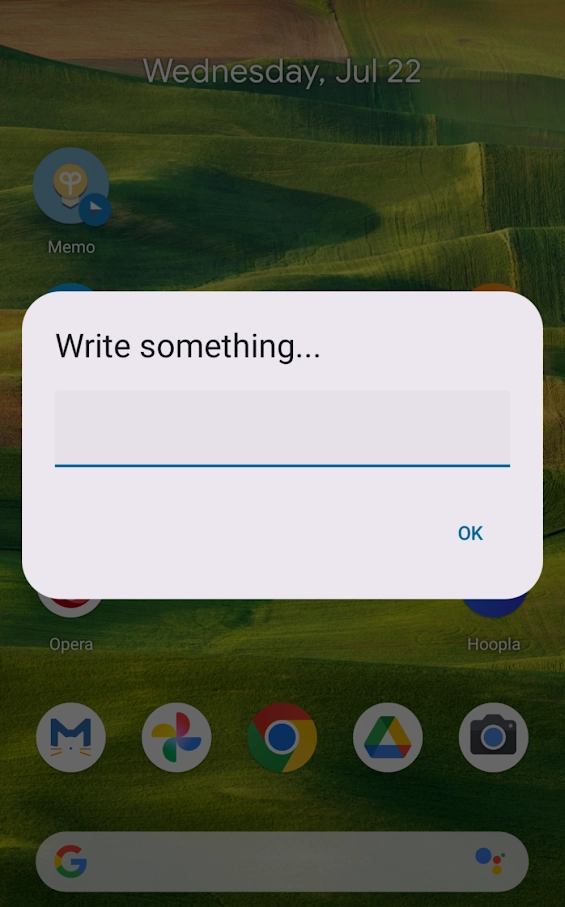
Mobile Preview:
Architecture
The system utilizes a Cloudflare Worker as a bridge between the client devices and the GitHub repository.
flowchart TD
    A[Mobile Client]
    B[Desktop Client]

    A --> C[Cloudflare Worker]
    B --> C

    C --> D[GitHub Contents API]
    D --> E[Hugo Repository]

    E --> F[Vercel]
    F --> G[Blog]
Implementation
1. Cloudflare Worker
The Worker acts as the backend logic, handling authentication and interacting with the GitHub API.
Worker Architecture:
flowchart TD
    A[HTTP Request]
    B[Cloudflare Worker]
    C[Environment Variables]
    D[GitHub Contents API]

    A --> B
    C -.-> B
    B --> D
Worker Environment Variables:
| Variable | Purpose |
|---|---|
WORKER_SECRET | Authenticates requests from your clients |
GITHUB_TOKEN | Personal Access Token for GitHub API |
GITHUB_REPO | The target repository (username/repo) |
GITHUB_FILE_PATH_TEMPLATE | Path template for the Markdown file |
Operational Logic:
flowchart TD
    A[Receive POST Request]
    B{Valid Secret?}
    C{Valid Text?}
    D[Calculate Year File Path]
    E[Fetch Existing Markdown]
    F[Insert Entry After Front Matter]
    G[Commit Updated File]

    A --> B
    B -->|No| H[401 Unauthorized]
    B -->|Yes| C

    C -->|No| I[400 Bad Request]
    C -->|Yes| D

    D --> E
    E --> F
    F --> G
Worker Script:
export default {
    async fetch(request, env) {
        if (request.method !== "POST") {
            return new Response("Only POST allowed", { status: 405 });
        }

        const authHeader = request.headers.get("X-Auth-Key");
        if (authHeader !== env.WORKER_SECRET) {
            return new Response("Unauthorized", { status: 401 });
        }

        let text;
        try {
            const body = await request.json();
            text = body.text;
        } catch (e) {
            return new Response("Invalid JSON payload from client", { status: 400 });
        }

        if (!text || !text.trim()) {
            return new Response("Empty text", { status: 400 });
        }

        const repo = env.GITHUB_REPO;
        const token = env.GITHUB_TOKEN;

        // Dates are processed based on UTC 0
        const now = new Date();
        const year = now.getUTCFullYear();
        const dateStr = now.toISOString().split("T")[0];

        // Build path dynamically, e.g., year/{year}.md -> year/2026.md
        const filePath = env.GITHUB_FILE_PATH_TEMPLATE.replace("{year}", year);

        const apiUrl = `https://api.github.com/repos/${repo}/contents/${filePath}`;
        const headers = {
            "Authorization": `token ${token}`,
            "Accept": "application/vnd.github.v3+json",
            "User-Agent": "cf-worker-sync"
        };

        // 1. Fetch the existing file
        const getRes = await fetch(apiUrl, { headers });

        let existingContent = "";
        let sha = null;
        let isNewFile = false;

        if (getRes.status === 404) {
            // New year: initialize with front matter
            isNewFile = true;
            existingContent = buildFrontMatter(year);
        } else if (!getRes.ok) {
            const errText = await getRes.text();
            return new Response(`GET failed: ${getRes.status} ${errText}`, { status: 500 });
        } else {
            const fileData = await getRes.json();
            sha = fileData.sha;

            const binaryString = atob(fileData.content.replace(/\n/g, ""));
            const bytes = new Uint8Array(binaryString.length);
            for (let i = 0; i < binaryString.length; i++) {
                bytes[i] = binaryString.charCodeAt(i);
            }
            existingContent = new TextDecoder("utf-8").decode(bytes);
        }

        // 2. Format the new entry
        const entry = `<small>${dateStr}</small>\n\n${text.trim()}\n\n---\n`;

        // 3. Insert the entry immediately after the YAML front matter
        const fmRegex = /^(---\r?\n[\s\S]*?\r?\n---\r?\n)/;
        const match = existingContent.match(fmRegex);

        let updatedContent;
        if (match) {
            const frontMatter = match[1];
            const rest = existingContent.slice(frontMatter.length);
            const trimmedRest = rest.replace(/^\n+/, "");
            updatedContent = frontMatter + "\n" + entry + "\n" + trimmedRest;
        } else {
            updatedContent = entry + "\n" + existingContent;
        }

        const encodedContent = btoa(
            encodeURIComponent(updatedContent).replace(/%([0-9A-F]{2})/g, (match, p1) =>
                String.fromCharCode(parseInt(p1, 16))
            )
        );

        // 4. Commit to GitHub
        const payload = {
            message: isNewFile
                ? `create ${filePath} via Worker`
                : `update memo via Worker - ${dateStr}`,
            content: encodedContent
        };
        if (sha) {
            payload.sha = sha;
        }

        const putRes = await fetch(apiUrl, {
            method: "PUT",
            headers: { ...headers, "Content-Type": "application/json" },
            body: JSON.stringify(payload)
        });

        if (putRes.ok) {
            return new Response(`Sync successful${isNewFile ? " (auto-created " + filePath + ")" : ""}`, { status: 200 });
        } else {
            const errText = await putRes.text();
            return new Response(`PUT failed: ${putRes.status} ${errText}`, { status: 500 });
        }
    }
};

function buildFrontMatter(year) {
    return `---
title: "${year}"
date: ${year}-01-01T00:00:00+00:00
type: page
hideComments: true
hideSuggestions: true
rss_ignore: true
hide: true
---
`;
}
2. Desktop Client (Ubuntu)
Architecture:
flowchart TD
    A[YAD Input]
    A1[config.json]
    B[Bash Script: sync-note.sh]
    C[archive.md]
    D[failed_queue.md]
    E[Worker]

    A --> B
    A1 -.-> B
    B --> C
    B --> E
    B -->|sync failure| D
Configuration (config.json):
{
  "worker_url": "https://xxxxxxxxxxxx.workers.dev/",
  "worker_secret": "your-worker-secret",
  "archive_dir": "path_to_archive_dir/"
}
Setup Instructions:
- Install Yad: Run
sudo apt install yadto install the dialog tool. - Create Files: Set up the
sync-note.shscript and theconfig.jsonfile. - Permissions: Run
chmod +x sync-note.shto make the script executable. - Global Command: Create a symbolic link in
/usr/local/bin/memoso you can launch the window by typingmemoin any terminal. - Keyboard Shortcut: In Ubuntu System Settings, map a shortcut (e.g.,
Alt + M) to the command/usr/local/bin/memofor instant access.
The Script (sync-note.sh):
#!/bin/bash

# Optional: Proxy settings for local environments
export http_proxy="http://127.0.0.1:7890"
export https_proxy="http://127.0.0.1:7890"

CONFIG_FILE="$HOME/.config/memo-sync/config.json"

if [ ! -f "$CONFIG_FILE" ]; then
    yad --error --text="Config file not found at $CONFIG_FILE" --width=400 2>/dev/null
    exit 1
fi

WORKER_URL=$(jq -r '.worker_url' "$CONFIG_FILE")
WORKER_SECRET=$(jq -r '.worker_secret' "$CONFIG_FILE")
ARCHIVE_DIR=$(jq -r '.archive_dir' "$CONFIG_FILE" | sed "s|^~|$HOME|")

ARCHIVE_FILE="$ARCHIVE_DIR/archive.md"
FAILED_QUEUE="$ARCHIVE_DIR/failed_queue.md"

mkdir -p "$ARCHIVE_DIR"

# UI Styling
YAD_CSS="/tmp/yad_memo.css"
cat << 'EOF' > "$YAD_CSS"
window { background-color: #f6f6f6; border-radius: 12px; }
headerbar { background-color: #f6f6f6; border: none; padding-top: 24px; padding-bottom: 12px; }
headerbar .title { font-size: 13pt; font-weight: bold; color: #2e3436; }
headerbar image, headerbar button { display: none; }
textview text { background-color: #ffffff; font-size: 12pt; }
button { background-image: none; background-color: #ffffff; border: none; border-top: 1px solid #e5e5e5; padding: 14px; font-weight: bold; border-radius: 0px; }
button:hover { background-color: #f0f0f0; }
box button:first-child { border-right: 1px solid #e5e5e5; border-bottom-left-radius: 12px; }
box button:last-child { border-bottom-right-radius: 12px; }
EOF

TEXT=$(GTK_THEME=Adwaita:light yad --text-info \
  --title="Write something" \
  --editable \
  --width=400 \
  --height=280 \
  --wrap \
  --margins=20 \
  --borders=0 \
  --buttons-layout=expand \
  --button="Cancel":1 \
  --button="OK":0 \
  --theme="$YAD_CSS" \
  2>/dev/null)

rm -f "$YAD_CSS"

if [ $? -ne 0 ] || [ -z "$TEXT" ]; then
    exit 0
fi

TIMESTAMP=$(date -u +"%Y-%m-%dT%H:%M:%SZ")

# Append to local archive
{
    echo "<small>${TIMESTAMP}</small>"
    echo ""
    echo "$TEXT"
    echo ""
    echo "---"
    echo ""
} >> "$ARCHIVE_FILE"

BODY=$(jq -n --arg text "$TEXT" '{text: $text}')

# Sync to Worker
HTTP_CODE=$(curl -s -o /tmp/sync_response.txt -w "%{http_code}" -X POST \
  "$WORKER_URL" \
  -H "X-Auth-Key: $WORKER_SECRET" \
  -H "Content-Type: application/json" \
  -d "$BODY")

RESPONSE_TEXT=$(cat /tmp/sync_response.txt)

if [ "$HTTP_CODE" -eq 200 ]; then
    notify-send "Sync successful" 2>/dev/null || yad --info --text="Sync successful" --width=250 2>/dev/null
else
    # Save to failed queue if sync fails
    {
        echo "${TIMESTAMP}"
        echo ""
        echo "$TEXT"
        echo ""
        echo "---"
        echo ""
    } >> "$FAILED_QUEUE"

    notify-send "Sync failed ($HTTP_CODE) — saved locally" 2>/dev/null || \
        yad --error --title="Failed ($HTTP_CODE)" --text="$RESPONSE_TEXT" --width=400 2>/dev/null
fi
3. Mobile Client (Android)
The mobile workflow is implemented using the HTTP Shortcuts app.
- Create Shortcut: Use the app’s
Import from cURL commandfeature to quickly set up the endpoint. - Define Variable: Create a Text Input variable (named
text_input). Enable JSON encode in the Advanced Settings to handle special characters. - Map Payload: In the shortcut’s request body, bind the variable:
{"text": "{{text_input}}"}. - One-Click Access: Add the shortcut widget to your Android home screen for instant publishing.